Comparison between Mockoon and MockServer's API mocking services
Discover the differences between MockServer and Mockoon API mocking services: deployment options, features, and more
What is MockServer?
MockServer is a flexible tool used for mocking and proxying HTTP and HTTPS requests. It allows developers to create and simulate complex request-response behaviors for testing and development purposes. With MockServer, users can mock various scenarios by defining expected requests and corresponding responses, enabling the testing of edge cases and failure scenarios. It supports both REST and SOAP APIs and can be used for load testing and functional testing. Additionally, MockServer can be integrated into CI/CD pipelines to automate testing processes and ensure consistent API behavior throughout development cycles. Users can configure MockServer through a simple JSON configuration or programmatically via its Java and JavaScript clients.
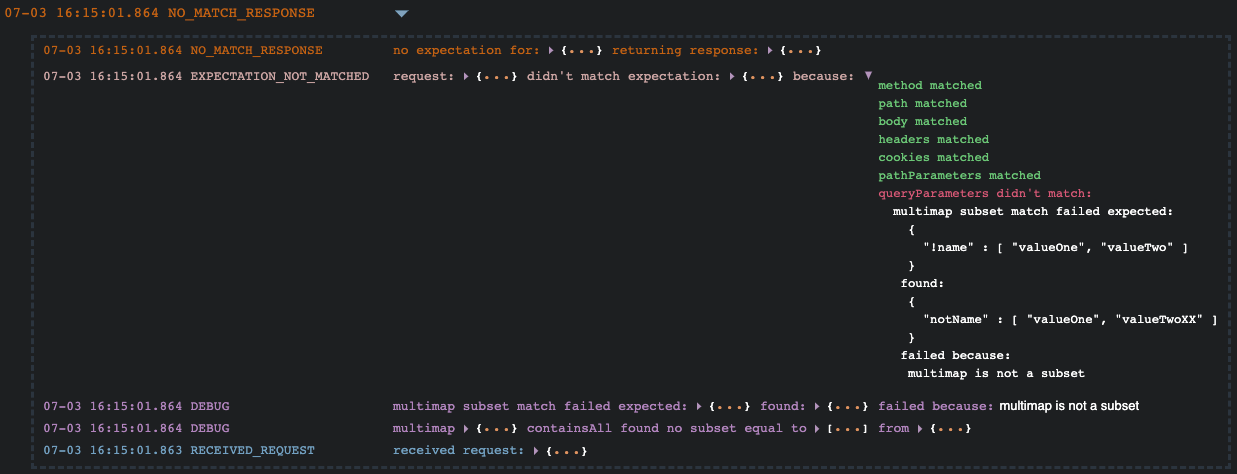 Screenshot of MockServer's interface
What is Mockoon?
Mockoon is a set of open-source tools that allow developers to mock APIs quickly and easily. It offers an offline-first and privacy friendly desktop application to design and run mock APIs locally. A CLI and various libraries are also available to deploy your mock APIs anywhere: CI/CD pipelines, servers, etc.
Mockoon features include a powerful templating system to generate dynamic and realistic mock data, a rules system, a proxy mode to partially mock API endpoints, and many customization options: status codes, dynamic headers, TLS, file serving, etc.
Mockoon Pro is also available for teams and organizations looking for a complete collaboration platform. It can be deployed on your own private infrastructure or used as a managed cloud service, enabling teams to collaborate in real time and deploy mock APIs while choosing where their data and services run.
💡 Get started with Mockoon: Download Mockoon or Discover Mockoon Pro
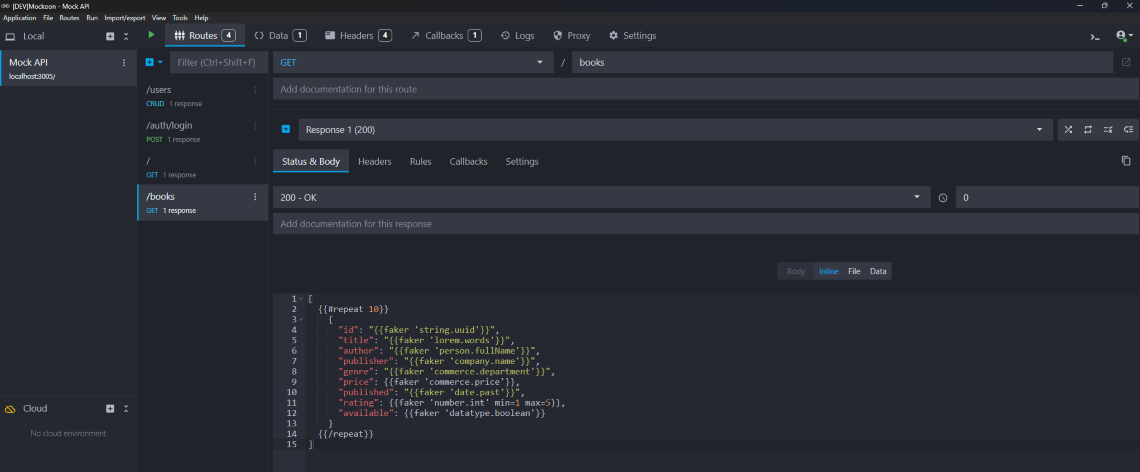 Screenshot of Mockoon's interface
Offer comparison
Below is a comparison of the main characteristics of MockServer and Mockoon's respective offers:
| MockServer | Mockoon | |
|---|---|---|
| Deployment options | Local/self-hosted | Offline, self-hosted or managed |
| Tools provided | Libraries in multiple languages and Docker image | Desktop application to design your mock CLI, Docker image and GitHub Action to deploy anywhere Embedded web application for Pro customers |
| Free/paid | Free | Free for the open-source tools, paid for Pro |
| Billing | N/A | Billed per seat |
| Main team features | N/A | Mock deployments, real-time collaboration and an embedded web application |
| Open-source | ||
| Enterprise support |
Features comparison
While MockServer and Mockoon offer similar API mocking capabilities, they have different approaches. Below is a comparison of the main features of MockServer and Mockoon:
| API mocking Features | MockServer | Mockoon |
|---|---|---|
| Self-host | Docker, Kubernetes, and local library deployments are available | The complete Mockoon Pro platform can be self-hosted; the CLI and Docker image are also available for standalone deployments |
| Proxy mode | Documentation | |
| OpenAPI support | Documentation | |
| Recording | Mocks can be created from previously called endpoints | Mockoon can create mock endpoints based on entering requests |
| CRUD operations | Automated CRUD endpoints with fake databases | |
| Response rules | Advanced system of rules | |
| Dynamic/realistic data | Advanced templating system and AI assistant to generate realistic fake data | |
| Callbacks/Webhooks | Callbacks system | |
| File serving | Documentation | |
| Custom headers | At endpoint's and server's levels Supports templating helpers for dynamically generated headers | |
| Customizable status code | ||
| Routing patterns | Documentation | |
| GraphQL support | ||
| WebSocket support | Documentation | |
| Chaos testing | Supports delays and fault injection | Simulate delays and error responses |
| Stateful mocking | Request sequence state can be configured | CRUD routes and data buckets |
| JSON Schema validation | Request matching supports JSON Schema | Valid JSON schema rule operator |
| Slow network/server simulation | At server's and endpoint's levels |
For more comparisons between Mockoon and other tools, check out our other articles:
Mockoon vs Beeceptor, Mockoon vs Microcks, Mockoon vs Mock Service Worker, Mockoon vs Mockable, Mockoon vs MockFly, Mockoon vs Postman, Mockoon vs ReadyAPI, Mockoon vs Requestly, Mockoon vs Stoplight, Mockoon vs WireMock Cloud