What is Mockoon?
New to Mockoon? Learn more about our popular open-source API mocking tool and the benefits of API mocking.
Mockoon is a popular open-source API mocking tool created in 2017. It allows developers to quickly create mock APIs and test their applications without relying on third-party APIs that can be unreliable, slow, or expensive to use in development and testing environments.
Mockoon is a desktop application available on the major operating systems accompanied by a CLI, Docker image, and several libraries to help developers integrate their API mocks into their existing workflows, servers, and CI/CD pipelines.
Mockoon is easy to use, fast, and reliable. It is built with modern web technologies and is constantly updated with new features and improvements.
Mockoon is used by thousands of developers and companies around the world to speed up their development process and reduce dependencies on external services. It has been downloaded more than 1 million times and has a vibrant community of contributors and users.
Benefits of using Mockoon and API mocking

Speed up development and third-party API integration by reducing dependency on external services and their limitations: rate limits, costs, availability, etc.

Test your applications in a controlled environment with predictable responses, status codes, and latencies. Easily simulate edge cases and error scenarios.

Onboard new team members faster by providing them with a consistent and reliable environment to test and develop their applications.
Main features
- Powerful rule-based request matching
- Stateful responses with dynamic values and templating
- CRUD operations on fake JSON databases
- Automated mock creation with record and replay
- OpenAPI and Swagger import and export
- Support for callbacks/webhooks
- Proxying and partial mocking of third-party APIs
- Self-hosting with CLI and Docker image
Mockoon's ecosystem
Mockoon offers a complete ecosystem of tools and libraries to help developers integrate API mocking into their existing workflows and environments.
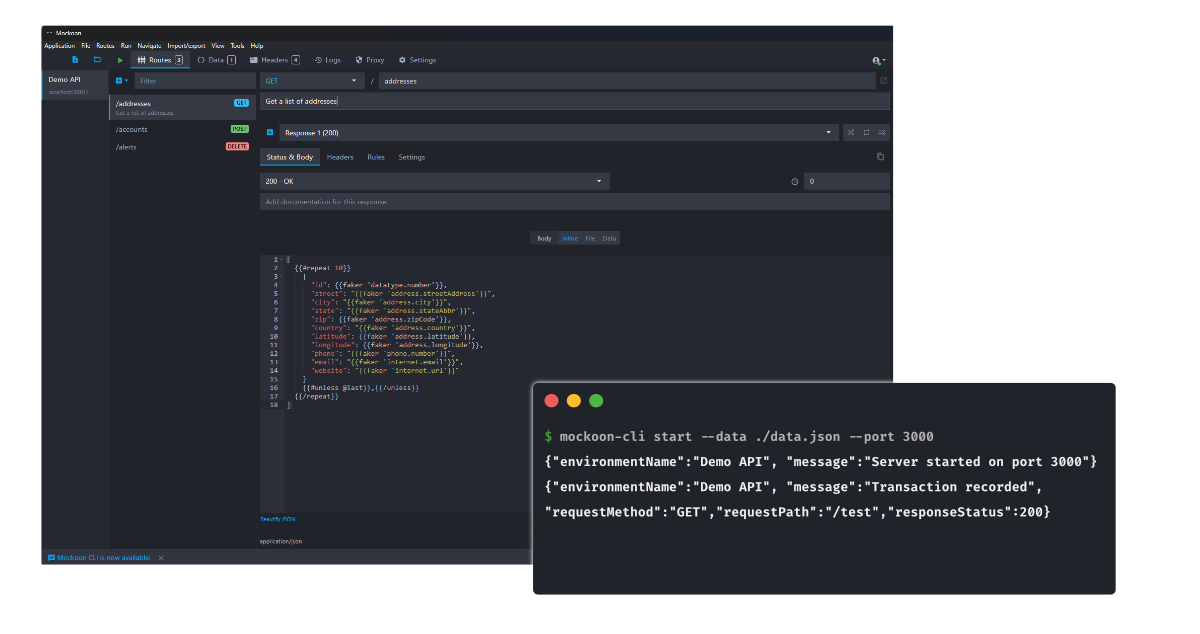
Mockoon Desktop is the main application that allows developers to create and manage mock APIs with a graphical user interface.
Mockoon CLI is a command-line interface that allows developers to run their mock APIs programmatically and integrate them into their CI/CD pipelines and servers. The CLI is also available as a Docker image.
Mockoon Pro, available as a Docker image is available for developers who need advanced features and collaboration capabilities.
What is Mockoon Pro?
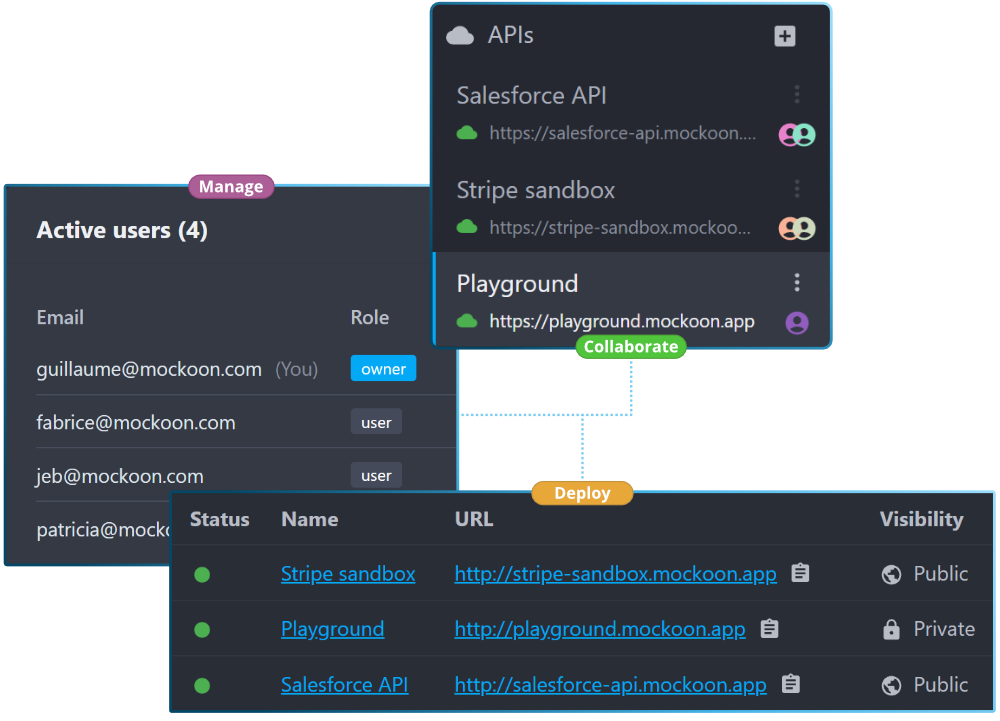
Mockoon Pro allows developers to collaborate and share their API mocks in the cloud (self-hosted or managed). It streamlines the API mocking process and accelerates the development of APIs and applications.
Several features are available in Mockoon Pro:
- Real-time collaboration: work on API mocks with your team in real time.
- Data synchronization: keep your data in sync across all your devices.
- Cloud deployments: deploy your mock APIs to the cloud with a single click and share them with your team.
- Integrated web app: access and manage your API mocks directly from the web interface and avoid the need to install the desktop app.
- Enterprise-grade support: get priority support from the Mockoon Team.
Choose how your team works
Build mocks locally for free, or add the shared workspace, deployment, and administration capabilities your organization needs.
| Capability | Mockoon Open SourceFree forever | Mockoon ProFor teams |
|---|---|---|
| Mock creation | ||
| Advanced API mocking | Rules, templating, CRUD, proxying, and recording | Everything in Open Source |
| Desktop application and CLI | Included | Included |
| Embedded web application | Desktop installation required | Full workspace in any browser |
| Team workflow | ||
| Real-time collaboration | Share files or use Git | Shared workspace with live presence |
| Mock API deployments | Manage individual CLI or Docker deployments | Deploy and manage instances from one place |
| Centralized team workspace | Local files and tooling | Self-hosted on your infrastructure |
| Administration & control | ||
| Users, invitations, and access roles | Not included | Centralized administration |
| OpenID Connect (OIDC) SSO | Not included | Connect your identity provider |
| Administrative and workspace audit trail | Not included | Searchable activity history |
| Support | Community support | Priority support from our team |