Data files
Mockoon desktop stores each mock API's data in a separate file. These files contain all the information about the environment, routes, and responses. They are stored in a JSON format and can be easily shared with other Mockoon users, used with the CLI, or stored in a git repository.
Data files schema
Each environment file contains information about the environment, routes, and responses. They are stored in a JSON format following a schema and are validated every time you open an environment. This schema is available in the repository.
Locating the mock API files
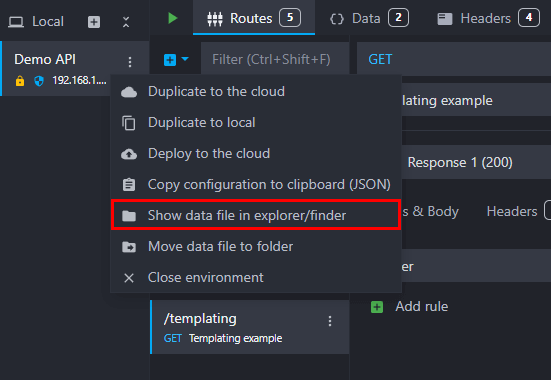
You can locate the folder in which the API data are stored by right-clicking on each environment and selecting "Show data file in explorer/finder":
Moving the files
You can move the data files to another folder by right-clicking on an environment and selecting "Move data file to folder":
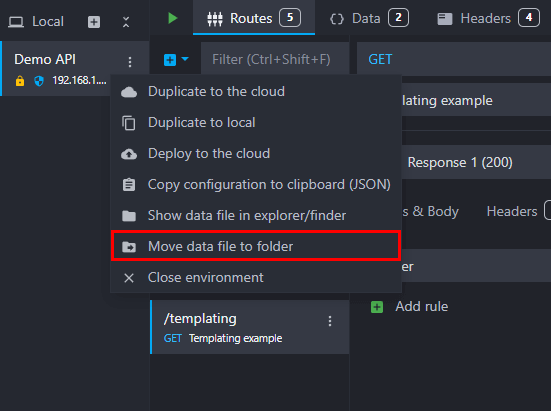
💡 Please note that the environment file will be copied to the new folder, and the original file will not be deleted. If you want to delete the original file, you will have to do it manually.
Enabling data file watching
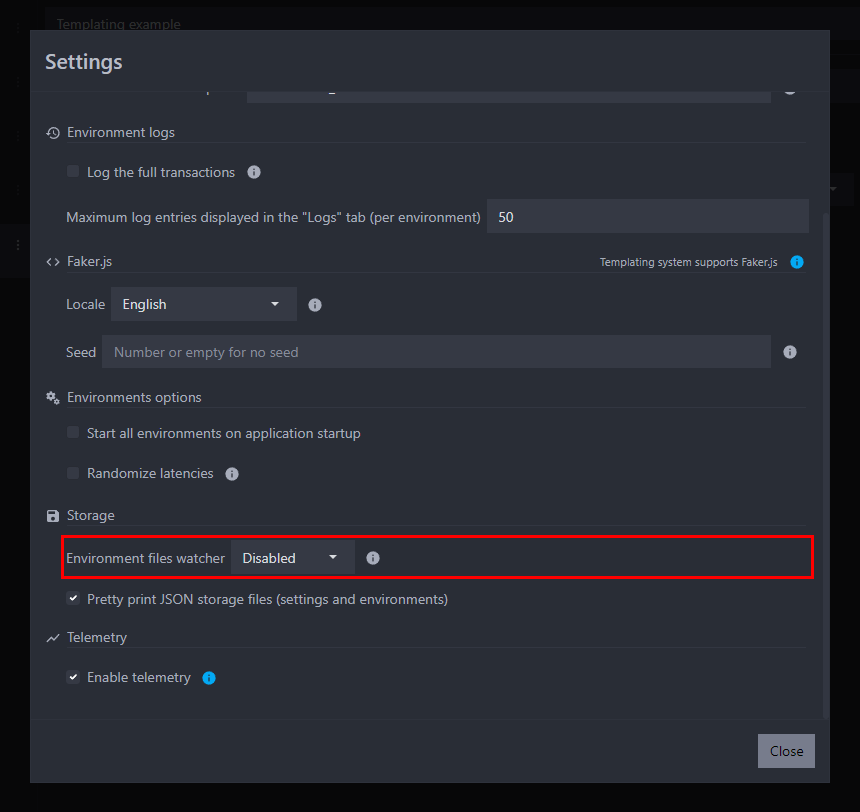
Mockoon can monitor data files' external changes and automatically reload the interface with the new information. This is particularly useful when you are editing the data files with an external editor or pulling changes from a git repository. You can activate this option in the settings:
Mockoon Pro environments
With Mockoon Pro, you can create synchronized environments stored on your private Mockoon Pro server. For self-hosted installations, these environments are persisted in the server's mounted /data volume. The desktop application also keeps a local copy on each connected device.
Synchronized environments are available across your devices and let your team collaborate in real time. Learn more in the data synchronization and team collaboration documentation.